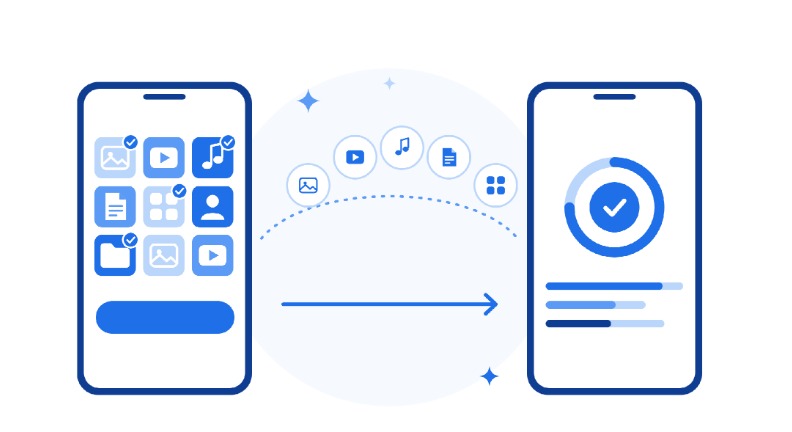
Ever tried to send a whole trip’s worth of memories to a friend? You send a few photos, then a video, then a song, then a PDF. It takes ages, and some files arrive smaller and blurrier than before.
FileShift by ExtreemTek fixes this. It is a free app that lets you pick photos, videos, music, documents and more, then send them all together in one go. No Wi-Fi, no mobile data and no sign-up needed. This guide explains how it works in simple words.
What Can You Send With FileShift?

Think of FileShift as a small moving truck for your phone. Whatever you want to move, it carries straight to the other phone.
Here is what you can send:
- Photos. Holiday shots, family pictures and party snaps.
- Videos. Short clips or long recordings, big or small.
- Music. Your favourite songs and playlists.
- Apps. Share an app installed on your phone (on Android).
- Contacts. Send phone numbers to a friend or a new phone.
- Documents. PDFs, Word files, slides and sheets.
- Other files. Anything else on your phone, even whole folders.
There is no file size limit, so a small photo and a full-length video are treated the same way.
How the File Picker Works

Sending with FileShift takes three simple steps:
- Open FileShift on both phones and scan the QR code to connect.
- Pick your files in the file picker.
- Tap send, and the files move straight to the other phone.
Step two is where FileShift really shines. Let’s look at the file picker.
Tabs for Photos, Videos, Music, Apps, Contacts, Documents and Files
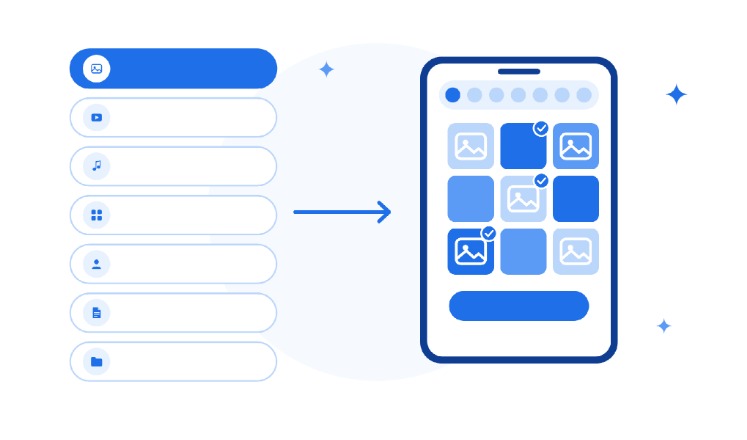
The picker is split into tabs, like the sections of a shop. Each tab shows one kind of file, so you find things fast and never dig through folders.
- Photos and Videos. Browse your gallery and tick what you want.
- Music. Pick one song or many.
- Apps. Choose an installed app to share.
- Contacts. Tick the people you want to send.
- Documents and Files. Find PDFs and other files without opening a single folder.
Pick From Different Tabs and Send Them Together

Here is the best part. You do not have to send one type of file at a time. Choose two photos, jump to Music, add a song, then add a PDF from Documents.
Then tap send once. Everything travels together as one batch, instead of many small sends.
Why Use FileShift to Send Files?
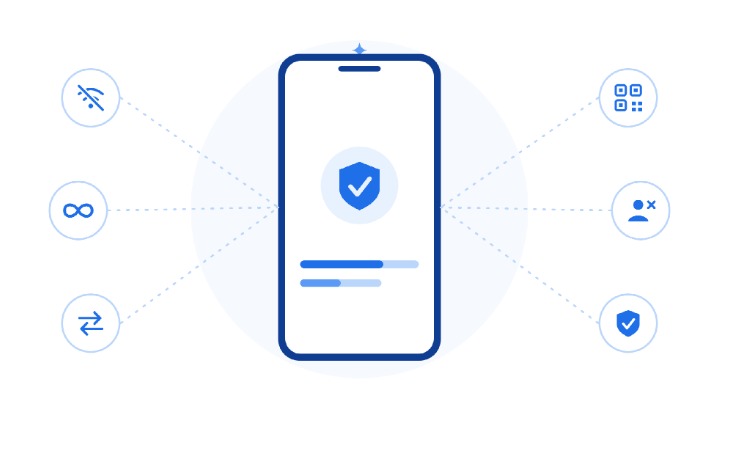
Most sharing tools need the internet, an account or a matching phone brand. FileShift is built to remove those roadblocks.
With FileShift, you get:
- Works offline. No Wi-Fi network or mobile data needed. The phones connect directly.
- No file size limit. Send a photo, a full video or a whole folder.
- Android and iPhone. Send both ways. Both phones just need FileShift installed.
- Easy connection. Scan a QR code, then tap send.
- No account. No sign-up, no email and no password.
- Nothing is kept. Files move directly between phones. Nothing is stored or retained afterward.
- Free to download from Google Play and the App Store.
Built-in sharing tools are not always this flexible. Google’s Quick Share is made for Android, and it reaches iPhones only on selected supported devices. FileShift is built to work across both.
Users like it too. FileShift has 40,000+ installs and a 4.2/5 rating on the Play Store. One user wrote:
“It’s a very important app because of the stunning visual appeal it offers, surpassing other apps”
Play Store review
FileShift vs Sending Files One by One in Chat Apps

Chat apps are great for talking. Sending many files through them is slower. You attach one file, wait, then attach the next.
Some chat apps also shrink photos and videos to send them faster. Getting full quality has often meant changing settings or using workarounds, as Android Central explains.
FileShift skips all that. Here is a quick comparison:
| What You Need | Chat Apps, One by One | FileShift |
|---|---|---|
| Sending many files | One at a time | All in one go |
| Internet needed | Yes | No, works offline |
| File size | Limits can apply | No limit |
| Photo and video quality | Can be reduced | Kept as they are |
| Account needed | Usually yes | No sign-up |
Swipe the table sideways to see every column.
For big batches, one send simply saves time and stress.
Other FileShift Features

Sending files is the main job. FileShift also has a few extras that make life easier:
- QR code connect. Scan the code and your phones are linked.
- 6-digit code. Prefer typing? Connect with a short code instead.
- Invite link. Send a link so the other person can join in one tap.
- Transfer history. See exactly what you sent.
- Recent transfers. Your latest sends show on the Home screen.
- New phone setup. Move your photos, videos, music, documents and contacts to a new phone in minutes.
Conclusion: Everything You Want to Share, in One Place
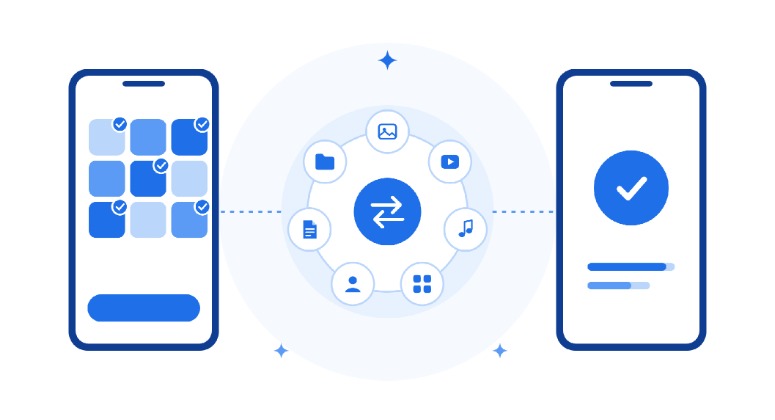
Sharing should not feel like a chore. With FileShift, you pick photos, videos, music, documents and more from one simple picker, then send them all together.
It works offline, has no file size limit and connects Android and iPhone. Nothing is stored after the transfer.
Want the full picture? See everything the app can do on the FileShift app page, or read why most people send files between phones the wrong way.
Ready to try it?
Download FileShift by ExtreemTek today, or get it on the App Store, and send your first batch in one go.
FAQs
What is FileShift?
It is a free app for Android and iPhone that sends photos, videos, music, documents and more directly between two phones.
Do I need Wi-Fi or mobile data?
No. FileShift works completely offline. The two phones connect directly to each other.
Is there a file size limit?
No. You can send anything from a small photo to full videos or whole folders.
Can I send files between Android and iPhone?
Yes, both ways. Both phones just need FileShift installed.
Do I need an account?
No. There is no sign-up. Scan the QR code, pick your files and tap send.
Are my files stored anywhere?
No. Files move directly between the two phones, and nothing is stored or retained afterward.
Is FileShift free?
Yes. It is free to download from the Google Play Store and the App Store.
ExtreemTek newsletter
Get practical IoT and AI engineering tips in your inbox
Guides, checklists and lessons from real product builds. No spam, unsubscribe anytime.
Read our privacy policy.
